Visual Storefront
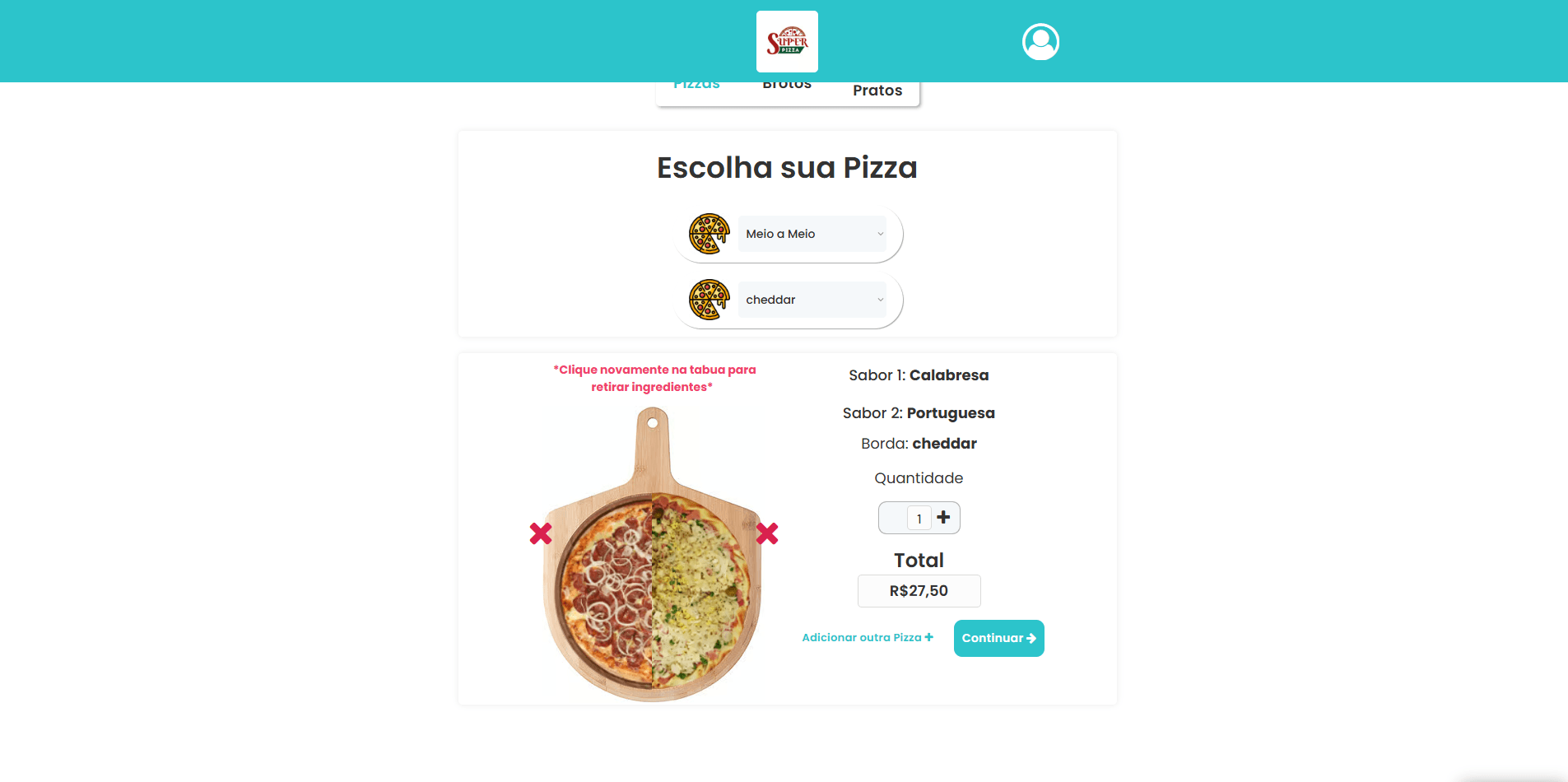
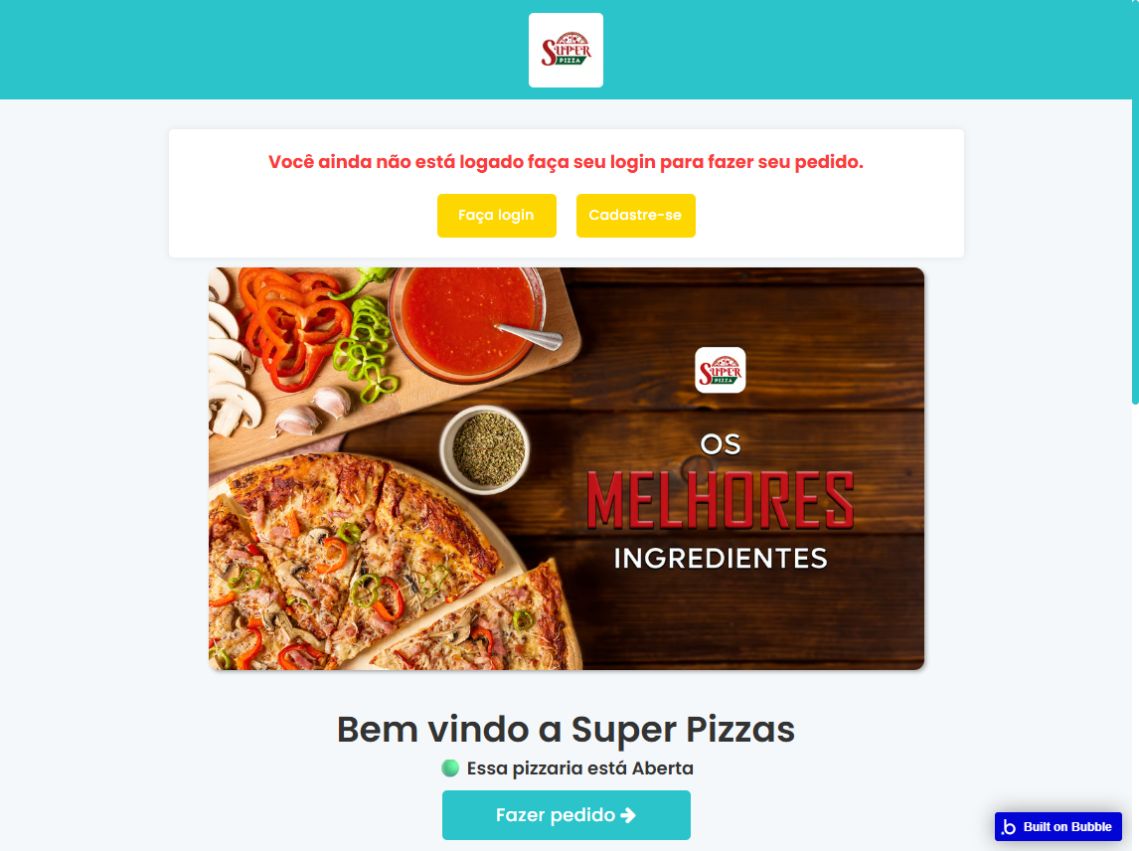
Promotional imagery and clear ordering actions make the customer journey immediately recognizable.
Case Study / 02
A customer-facing pizzeria product built to make menu discovery, ordering and delivery follow-up part of one connected experience.
01 / Overview
Nilo Pizzas brings the customer-facing parts of a pizzeria into one web product: presenting the store, browsing a visual menu, starting an order and following its progress.
The project expands my portfolio beyond internal systems by showing a product designed for direct customer interaction and a practical transactional journey.
02 / The Problem
A food-ordering experience needs to help customers understand what is available and move toward a decision without making the interface feel complicated.
At the same time, the product needs to reflect the operating reality behind each order, connecting the storefront to delivery follow-up and the pizzeria's management workflow.
03 / The Product
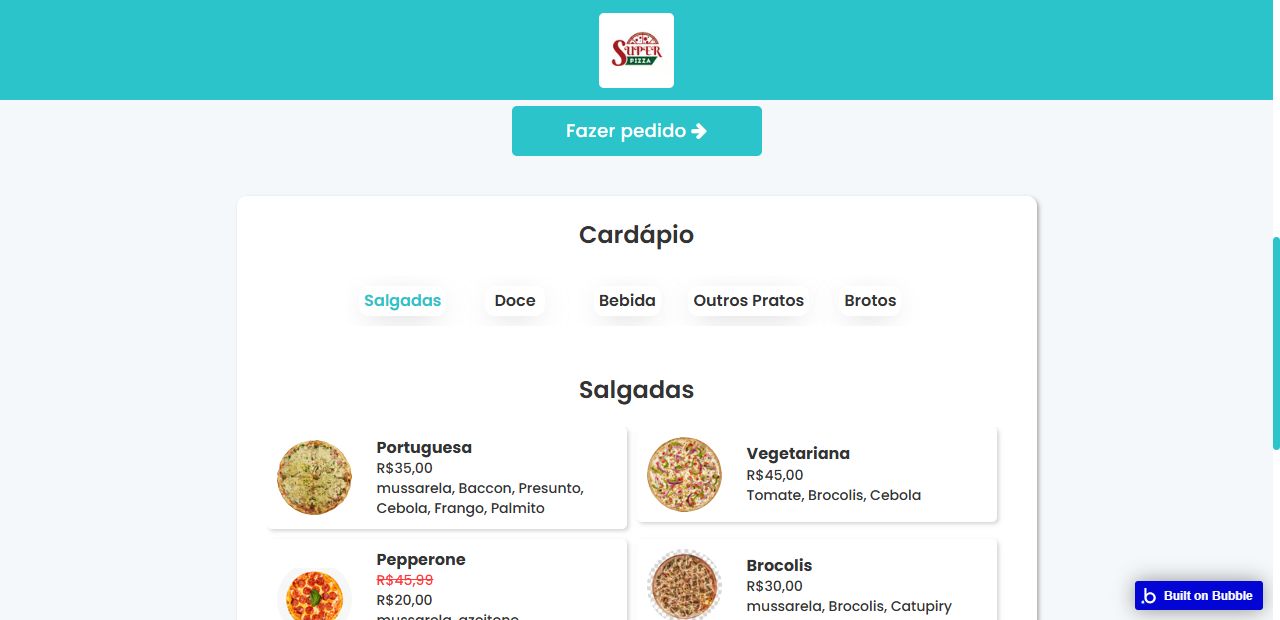
The public experience is organized around a visual storefront and a category-based menu. Customers can see whether the pizzeria is open, browse different product groups and enter the ordering flow from clear calls to action.
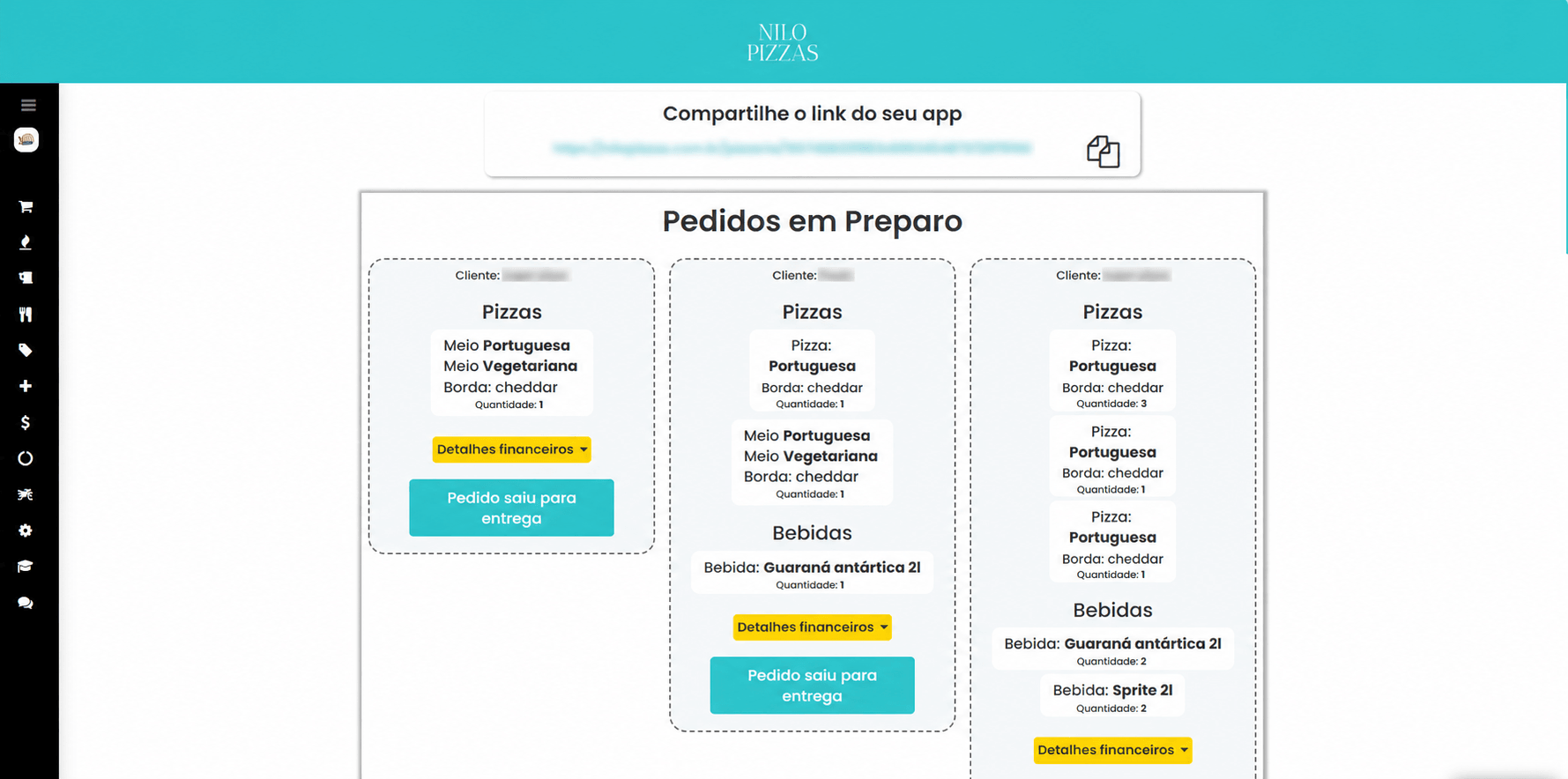
Beyond the storefront, the product includes an order-tracking experience and a dedicated operational panel for the pizzeria.
04 / Key Features
Promotional imagery and clear ordering actions make the customer journey immediately recognizable.
The storefront communicates whether the pizzeria is currently open before the customer starts an order.
Products are organized into savory pizzas, sweet pizzas, drinks, other dishes and smaller sizes.
Menu items combine imagery, product names, pricing and ingredient information in a scannable layout.
A dedicated experience gives customers a place to follow the progress of an order.
A separate management environment supports the operational side of the pizzeria.
05 / Walkthrough
06 / Product Thinking
Food ordering is a highly visual decision. The experience uses product imagery, category navigation and repeated ordering actions to keep the next step visible throughout the journey.
The customer interface is only one side of the product. Order follow-up and the pizzeria panel extend that journey into the operational workflow behind fulfillment.
07 / Outcome
The result is a Bubble-built ordering product that connects visual menu discovery, customer action, delivery follow-up and pizzeria operations in one experience.
Continue exploring